


VideoGPT - AI Video Generator
4.52.63K Reviews
App Specs
- Version
- 4.12
- Updated On
- License
- Free
- Downloads
- 1,000,000+
- Developer
- ElevenThirteen
- Categories
- Video Players & Editors
- Platform
- Android
Screenshots
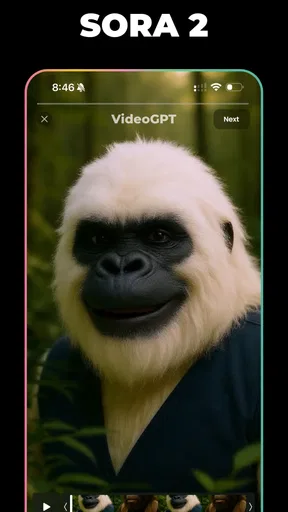
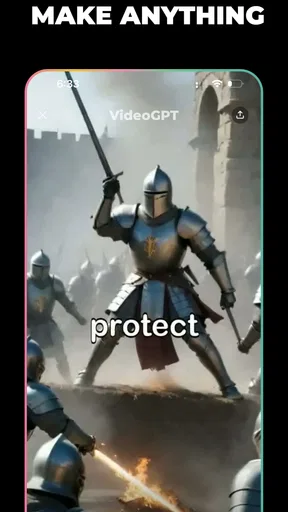
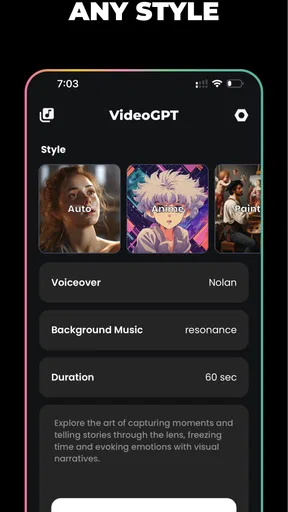
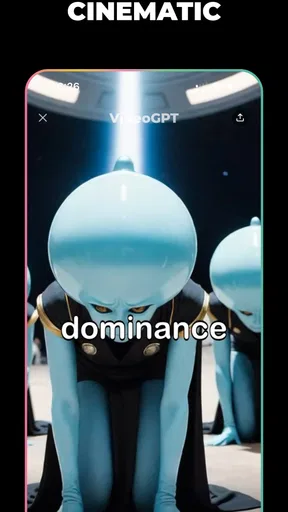
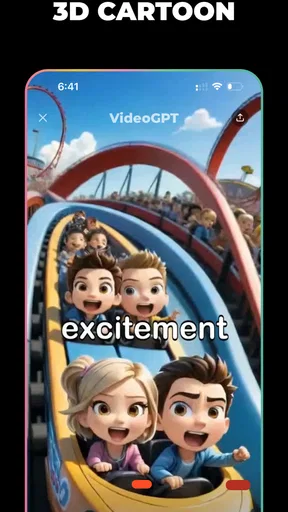
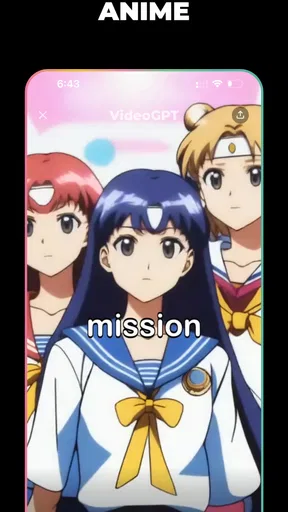
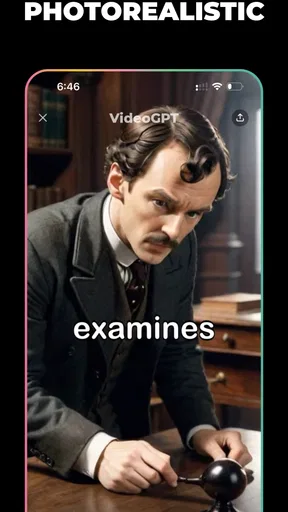
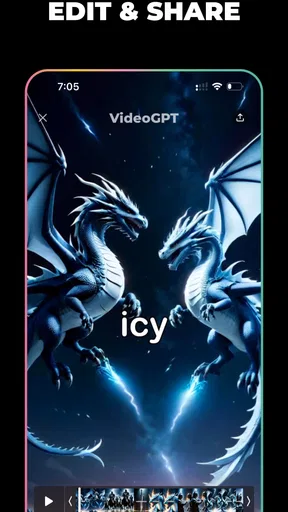
 Analysis by AppCompare
My first few sessions with VideoGPT - AI Video Generator were about the pleasure of trying ideas quickly: type a scene, see what the AI makes of it, then decide whether the surprise is useful or just amusing. That first-week novelty is real, but it is not the whole test. I’m more interested in whether a text-to-video tool earns a regular place in a creative routine once the initial “what if?” prompts have run out.
Where the first-week excitement comes from
The appeal is immediate if you have ideas but little patience for building a video from scratch. VideoGPT is a video-making app from ElevenThirteen, powered by Sora 2, and its central interaction is easy to grasp: describe a scene in words and let the generator interpret it. The app is free to install, with in-app purchases ranging from $2.99 to $189.99 per item, so it makes sense to explore the experience before treating it as a dependable part of your workflow.
That low-friction start suits playful experiments, visual brainstorming, and quick concepts for a post or presentation. It is also a useful way to find out whether you enjoy directing with prompts. I would begin with one clear subject, one setting, and one action rather than a paragraph full of competing details. That gives you a cleaner way to judge what the generator understood and makes it easier to adjust the next prompt with purpose.
Turning a novelty into a repeatable habit
The longer-term question is not simply whether the app can make a striking clip. It is whether you have a recurring reason to make one. I can see it fitting into a creator’s early ideation: sketch a visual mood, test a scene, or make a rough concept to discuss with someone else. It can also be a fun occasional tool for people who want to turn an unusual thought into something shareable without learning a traditional editing suite first.
For a practical routine, I would keep a small note of prompts that produced a result worth revisiting, along with what made them work: a focused subject, a concrete action, or a distinctive setting. That turns experimentation into a process rather than a string of disconnected generations. If a clip is meant for a real deadline, leave room to review it and try a revised description; the AI’s interpretation is not the same as a frame-by-frame plan.
What it replaces—and what it doesn’t
Compared with a conventional mobile editor, this app starts with an idea rather than recorded footage. That is its clearest difference. A standard editor is the better choice when you need to trim specific shots, keep a person or product consistent, align clips to music, or make exact timing decisions. A prompt-based generator is more appealing when you want a visual starting point and are willing to accept some interpretation.
It also occupies a different spot from stock-video browsing. Stock footage gives you existing material to select and assemble; text-to-video offers a route to a newly imagined scene, but the result may not match every detail in your head. I would treat generated clips as concept material or a creative ingredient, not assume that they are a ready-made substitute for carefully chosen real footage. That distinction matters most for client work, instructional videos, and anything where visual accuracy carries real weight.
Worth Reading Before You Choose

EA SPORTS FC Mobile 26 Is a Bigger Football Game, but It Takes Time

Flipboard Shows What News Apps Must Do Beyond the Feed

Switching to Android Auto Means Rethinking Your Driving Routine

Google Calendar Makes a Crowded Week Easier to Manage

Ludo King Makes the Most of the Minutes Between Plans

Baby Panda World Brings Quick Play to Modern Phones, but Its Game Library Feels Busy
Small workflow choices that save frustration
One useful habit is to change only one part of a prompt when a result misses the mark. If you change the subject, location, mood, and camera idea all at once, it becomes difficult to tell what helped. A focused revision makes the generator easier to direct, even if the final output still has an element of surprise. I would also decide what the clip needs to communicate before generating it; a striking image is not automatically a useful video.
Another trade-off is the gap between making something and finishing a project. A generated clip may be a good starting point, but a polished edit often requires decisions about sequence, sound, pacing, and context. Before relying on the app for a post or presentation, check whether the result actually supports the message and whether you have a suitable way to finish it. The more specific your production requirements, the more likely a conventional editor will need to do the heavy lifting.
Who will keep reaching for it?
I would recommend trying it if you enjoy visual experimentation, want to explore text-to-video, or often need a quick concept to react to. It may be especially enjoyable for casual creators who value discovery more than exact control. The app is rated Teen, and its broad appeal does not mean every generated result will suit every audience, so I would review a clip before sharing it publicly.
I would skip it as a primary tool if your work depends on repeatable, precise footage or if you dislike revising prompts when the first attempt is off target. People who mainly edit phone videos they have already recorded will probably get more everyday value from a conventional editor. Likewise, if you only need an occasional polished clip, the learning and iteration may not justify making a prompt-based generator part of your regular routine.
Unpacking the Magic of VideoGPT
Alright, let’s dive right in. VideoGPT - AI Video Generator is not your average video editing app. It’s like having a mini film studio right in your pocket. The app uses advanced AI to generate videos from text prompts. Yeah, you heard that right! You type in what you want, and voilà, a video appears. It's like magic.
Getting Started
First things first, setting up the app is a breeze. After downloading it from the App Store or Google Play, you’ll be greeted with a clean, intuitive interface. Even if you’re not a tech wizard, you’ll find it straightforward to navigate.
Once you’re in, you’ll see a simple text box where the magic begins. You type in your idea or description of the video you envision. Whether it’s a quirky cat video or a dramatic skyline timelapse, the AI works its wizardry to bring that vision to life.
The Features That Stand Out
Now, let’s talk features. This app is packed with some pretty cool stuff. Here’s what stood out to me:
- Text-to-Video Generation: The core feature, and honestly, it’s impressive. The AI understands context and creates relevant video clips that match your description.
- Customization Options: You can tweak colors, add filters, and even adjust the pacing of the video. It’s like having a director’s toolkit at your fingertips.
- Library of Assets: Need some stock footage or music? VideoGPT has you covered with a decent selection of free assets to enhance your creations.
- Shareability: Once you’ve crafted your mini masterpiece, sharing it on social media or with friends is super easy. Just a few taps and you’re done.
My Experience with VideoGPT
Personally, I had a blast experimenting with different text prompts. From whimsical animations to sleek corporate presentations, the app handled it all with ease. One thing I did notice is that the AI sometimes gets a bit creative, which can be a double-edged sword. Occasionally, I ended up with a video that was a tad unexpected, but honestly, that’s part of the fun.
Another thing I appreciated was the speed. The app generates videos pretty quickly, which is great when you’re in a creative flow and don’t want to lose momentum.
Is VideoGPT for You?
So, who is this app for? Honestly, anyone who loves playing with video content. Whether you’re a social media enthusiast, a budding filmmaker, or just someone who likes to experiment with new tech, you’ll find something to love here.
That said, if you’re looking for precise control over every frame and second, you might find the AI’s creativity a bit unpredictable. But if you’re open to a bit of spontaneity and surprise in your projects, then you’re in for a treat.
Final Thoughts
In a nutshell, VideoGPT - AI Video Generator is a delightful tool that brings creativity and technology together in a fun and accessible way. It's perfect for those moments when you want to whip up something unique without spending hours editing.
If you’re intrigued, definitely give it a whirl. Who knows? You might just uncover a hidden talent for video creation. Happy experimenting!
A realistic everyday use
Imagine you are planning a small community event and want a lively visual to share in a group chat. You could try a prompt describing the atmosphere you hope to convey, then see whether the generated clip captures it well enough to spark interest. I would not build the whole announcement around the first result: check that the images communicate the event accurately, and use a regular editor or a simple graphic if essential details such as time and location need to be unmistakable. In that role, the app helps with mood and inspiration, while a more predictable tool handles information.
Keeping the cost and effort in perspective
Because the app is free to download but includes optional purchases, I would explore the basic experience first and decide what kind of value you actually get from it before spending. The listed purchase range is wide, so it is worth checking the current in-app options and what each one covers before confirming anything. I would not assume that paying automatically solves the creative limitation: a more expensive route cannot make an unpredictable interpretation suitable for a project that requires exact visual continuity.
For occasional play, the main cost may be attention rather than money. Prompting, reviewing, and deciding whether a clip is usable all take time, even when generation feels quick. If you find yourself opening it only to make another novelty clip, that is a sign its value may be occasional rather than habitual. If it regularly helps you get past a blank page or communicate a visual idea, then that repeated use is a stronger reason to keep it installed.
When the novelty starts to wear off
Text-to-video can make early experimentation feel effortless, but repeated sessions expose the same central trade-off: you describe what you want, while the system decides how to depict it. That gap can be energizing when you are exploring, yet tiring when you have a particular image in mind. I find it helps to set a stopping point: if a few focused revisions do not move the result toward the goal, switch to footage or an editor instead of endlessly rephrasing the same request.
There is also a difference between a clip that is entertaining in isolation and one that earns a place in a finished piece. Before generating, ask whether you need a finished video, a mood reference, or simply a creative spark. That small distinction helps avoid disappointment and keeps the app from becoming a detour when a direct, practical edit would be faster.
Compatibility and a sensible trial
The app is free, is in the video players and editors category, has a 4.5 average from around 61,000 ratings, and has passed one million installs. It launched on April 26, 2024, and version 4.12 is listed for devices running Android 9 or later. Those details make it easy to judge whether it is broadly established and compatible with an older Android phone, but they do not tell you whether its creative approach suits your own work. I would test it with a low-stakes idea first, rather than plan a deadline around an unfamiliar workflow.
A useful trial is to make one clip for fun, one for a real but forgiving purpose, and one with a specific visual requirement. The contrast will show whether you mainly enjoy surprise or can also get repeatable practical value. If the last attempt frustrates you, that is meaningful evidence: this is a prompt-led creative tool, not a replacement for direct editing control.
Does it deserve a lasting place?
My lasting verdict is that VideoGPT earns space for people who make room for playful visual thinking. It can turn a sentence into a starting point, and that can be genuinely useful when an idea is easier to describe than to film. I would keep it as a companion to an editor, not as the one app expected to solve every video task. Its strongest recurring role is inspiration and experimentation; its weakest is precision-heavy production.
That is why I would recommend a try rather than an automatic long-term commitment. If you return to it because it helps you brainstorm, entertain friends, or prepare a rough visual concept, it has a clear purpose. If you mainly need dependable control over existing footage, choose a traditional editor and let this one go. For me, the app’s value after the novelty fades depends less on how surprising a single generation is and more on whether I have a real reason to prompt again.
Pros
- Intuitive interface for easy navigation.
- Quick video generation with AI support.
- High-quality output with minimal effort.
- Wide range of templates available.
- Regular updates with new features.
Cons
- Limited free version capabilities.
- Occasional glitches during editing.
- Requires high-speed internet for best performance.
- Subscription model can be pricey.
- Customization options can be limited.
FAQs for VideoGPT - AI Video Generator
What is VideoGPT - AI Video Generator?
VideoGPT is an innovative app that uses artificial intelligence to create videos from text prompts. It allows users to generate high-quality, customized videos effortlessly, making it perfect for content creators and marketers looking to enhance their visual content with minimal effort.
How easy is it to use VideoGPT for beginners?
VideoGPT is designed with user-friendliness in mind. Beginners can easily navigate its intuitive interface, which guides them through the process of generating videos. With clear instructions and helpful prompts, even those new to video creation can produce professional-looking results without a steep learning curve.
What features does VideoGPT offer for video customization?
VideoGPT offers a range of customization features, including text overlays, transitions, and music integration. Users can choose from various templates, adjust video length, and modify color schemes to align with their brand or personal style, ensuring each video is unique and tailored to their needs.
Are there any limitations on video length or resolution?
VideoGPT provides options for different video lengths and resolutions to suit various needs. However, users should check the app's specific limitations based on their subscription plan, as some features might be restricted in the free version, such as maximum video length or high-definition output.
Is VideoGPT suitable for professional use?
Yes, VideoGPT is suitable for professional use, offering advanced features that cater to business needs. It supports high-quality video production, seamless integration with social media platforms, and provides tools for branding and marketing, making it a valuable asset for professionals in various industries.


